Scrubber Worklist
Click on the Scrubber Worklist link to see the complete worklist. All failed scrubs in the system are in this list.
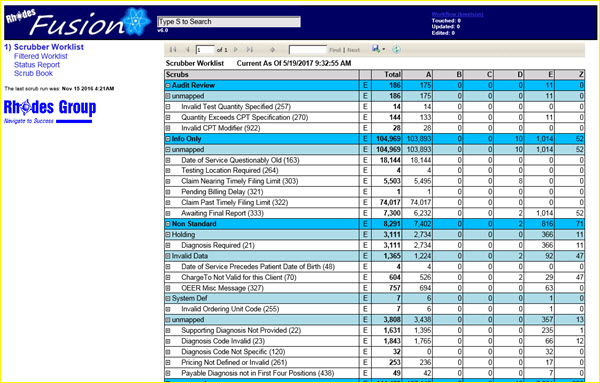
|
See the Worklist Properties section of this manual for specific information on the contents and structure of the worklist.

|
It is possible, based on filter parameters, to be presented with results that display no records in the worklist. If this happens, remember to go to the filtered worklist search panel, remove all filter criteria and click on the View Report button. The complete worklist will then be displayed. |